December 2025 News

Monthly Statistics
During December the Metron Project added the following to its database:
- Users: 99
- Issues: 1,668
- Creators: 208
- Characters: 1,176
Thanks to everyone that contributed!
Website Development
🎉 New Feature: User Collections
This month I added a User Collections system that lets you track your personal comic book collection. You can manage your collection by adding or removing issues, mark things as read, and track comic condition using the CGC grading scale (0.5 to 10.0). The grading system supports professional grading companies like CGC, CBCS, and PGX, as well as user-assessed grades for raw comics.
There's also a star rating system (1-5 stars) for rating issues in your collection, format tracking for print and digital copies, and bulk operations to add entire series runs at once. If you're trying to complete runs, there's a missing issues tracker that shows you which issues you need and displays completion percentages for each series.
The feature includes collection statistics with visual charts, advanced filtering options to search by series, publisher, format, read status, grade, and more. There are also read-only API endpoints for accessing your collection data and statistics, along with documentation to help you get started.
📚 Reading Lists Enhancements
Reading lists got some updates this month. You can now tag issues as Prologue, Core Issue, Tie-In, or Epilogue, with inline editing and visual badges to make it easier to see what's what. I also added a 5-star rating system for public reading lists, so you can see average ratings and filter lists by minimum rating.
There's also story arc integration that lets you add all issues from a story arc to a reading list in one go, which should save some time. I created a "reading list editor" group for managing Metron's curated lists - this allows trusted users to help curate without needing full staff privileges. If you're interested in being part of this group, just let me know.
The reading list API now supports browsing and retrieving lists with paginated results (50 items per page) and filtering options.
🔍 Search & Filtering Overhaul
I spent some time improving the search functionality across the site. Series lists now support multi-word search with filters for type, publisher, imprint, year range, status, and volume. Issue lists have quick search with advanced filters for series info, dates, and IDs. Reading lists can be searched by name, creator, attribution source, and privacy status. User collections have quick search across series names and notes with multi-field filtering.
All the search interfaces now have collapsible advanced filter sections, preserve your filter state, show active filter indicators, and have better empty states. I tried to keep the UI patterns consistent across all of them.
🐛 Bug Fixes
Week Views Date Calculation Fix (#437)
Fixed a bug where WeekList, NextWeekList, and FutureList views were using class-level date calculations evaluated at import time. This meant the views would always show the same week (from when the server started) instead of updating dynamically. I moved the date calculations to per-request methods and switched to precise date range queries to fix this.
📱 Mobile Improvements
Fixed a few mobile-specific issues this month: filter buttons now work properly on mobile devices, improved the home page responsiveness, fixed layout issues in home.html, and cleaned up button layouts across collection and reading list views.
🎨 UI/UX Enhancements
Added a Reading List & Collections section to the home page, made the first information card full width, and improved the overall layout for better visual hierarchy. I also spent time optimizing database queries - reading list detail views went from around 20 queries down to 4-6 by using better prefetching and annotation strategies. Collection detail views now show cover images and descriptions with lazy loading.
🔒 Security & Validation
Improved permission checks across reading list operations.
🔧 Technical Improvements
Upgraded to Django 5.2.9 and added documentation for User Collections and Reading Lists, including user guides, technical documentation for developers, and API documentation. I also refactored and simplified some views with better inheritance patterns.
Looking Ahead
Now that User Collections is up and running and Reading Lists have been improved, the plan is to refine these features based on user feedback and explore additional integration opportunities.
Desaad: A Comic Book Library Management System
What is Desaad?
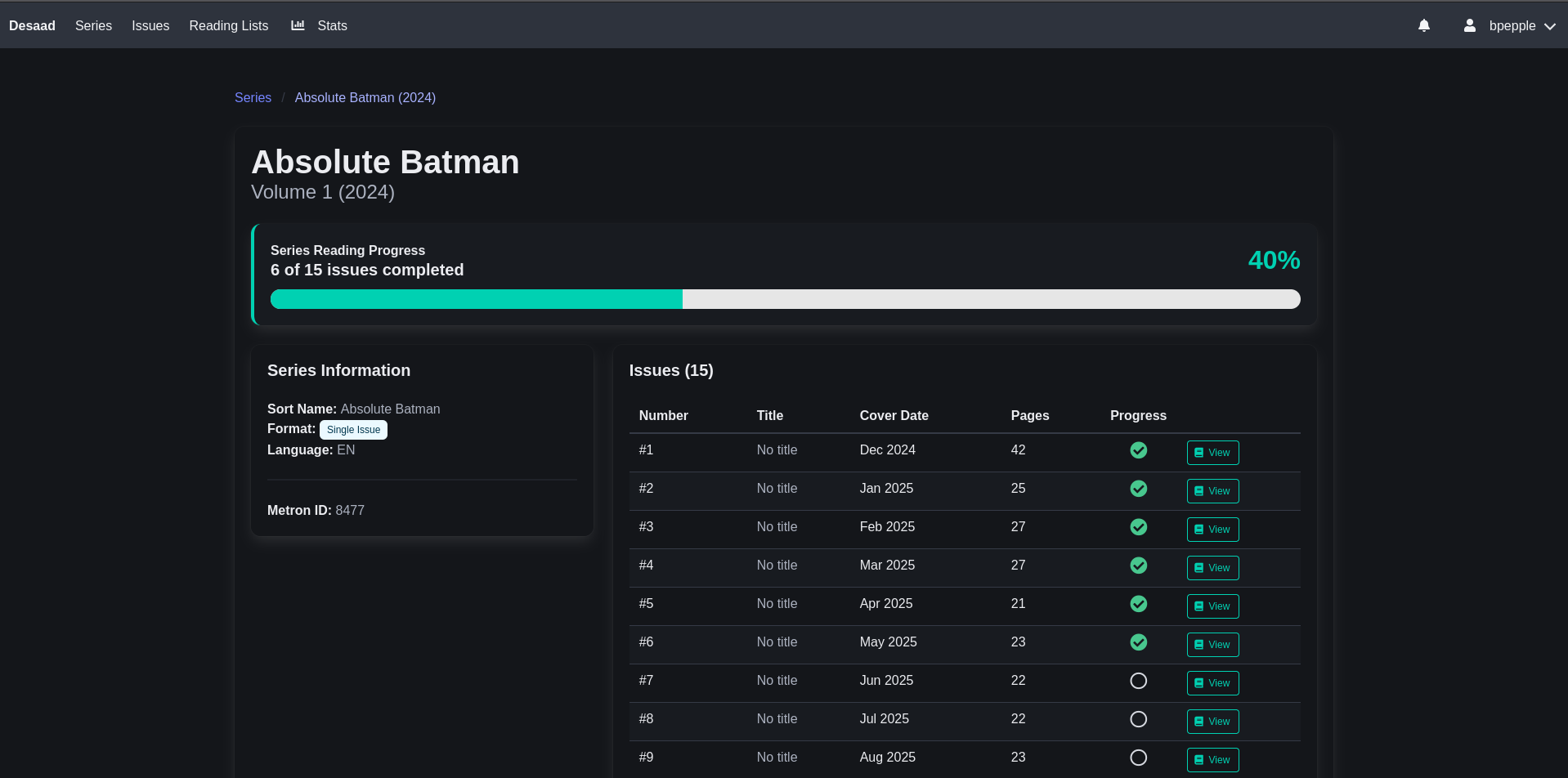
Desaad is a self-hosted, web-based comic book library manager and reader built with Django that I've been working on over the past week or so. I created it to test and plan features for Metron that might be useful for other comic servers.
Key Features
Library Management
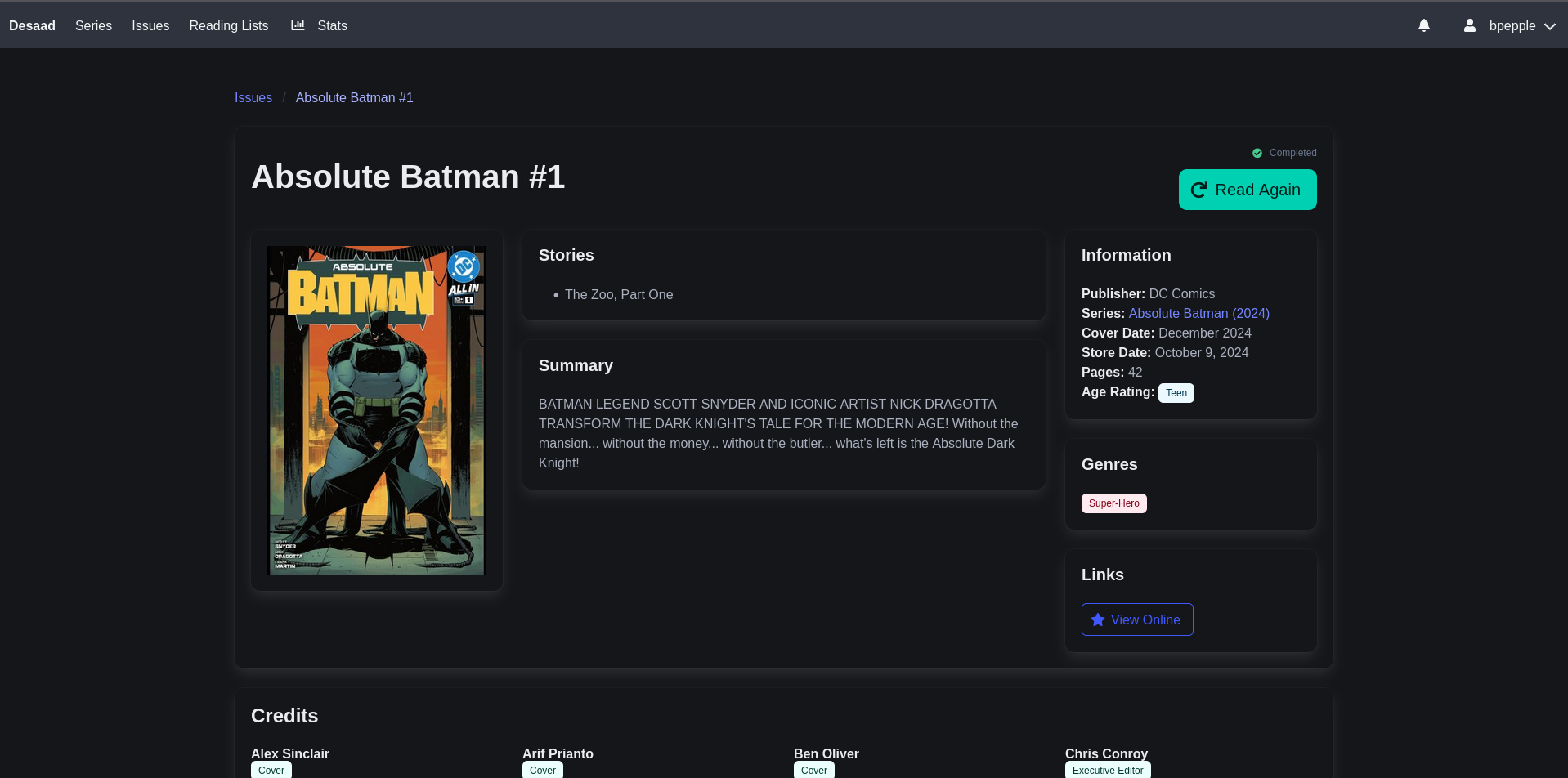
Desaad imports CBZ, CBR, and PDF comic archives and automatically pulls metadata from MetronInfo.xml files - things like series information, publishers, creators, characters, teams, universes, and story arcs. I'm not planning to add ComicInfo.xml support, since there are a lot of comic servers that already do.
It uses Darkseid for handling comic archives and extracting metadata.
Built-in Web Reader
The web reader uses HTMX and automatically saves your reading position and progress, so you can pick up where you left off.
Reading Lists
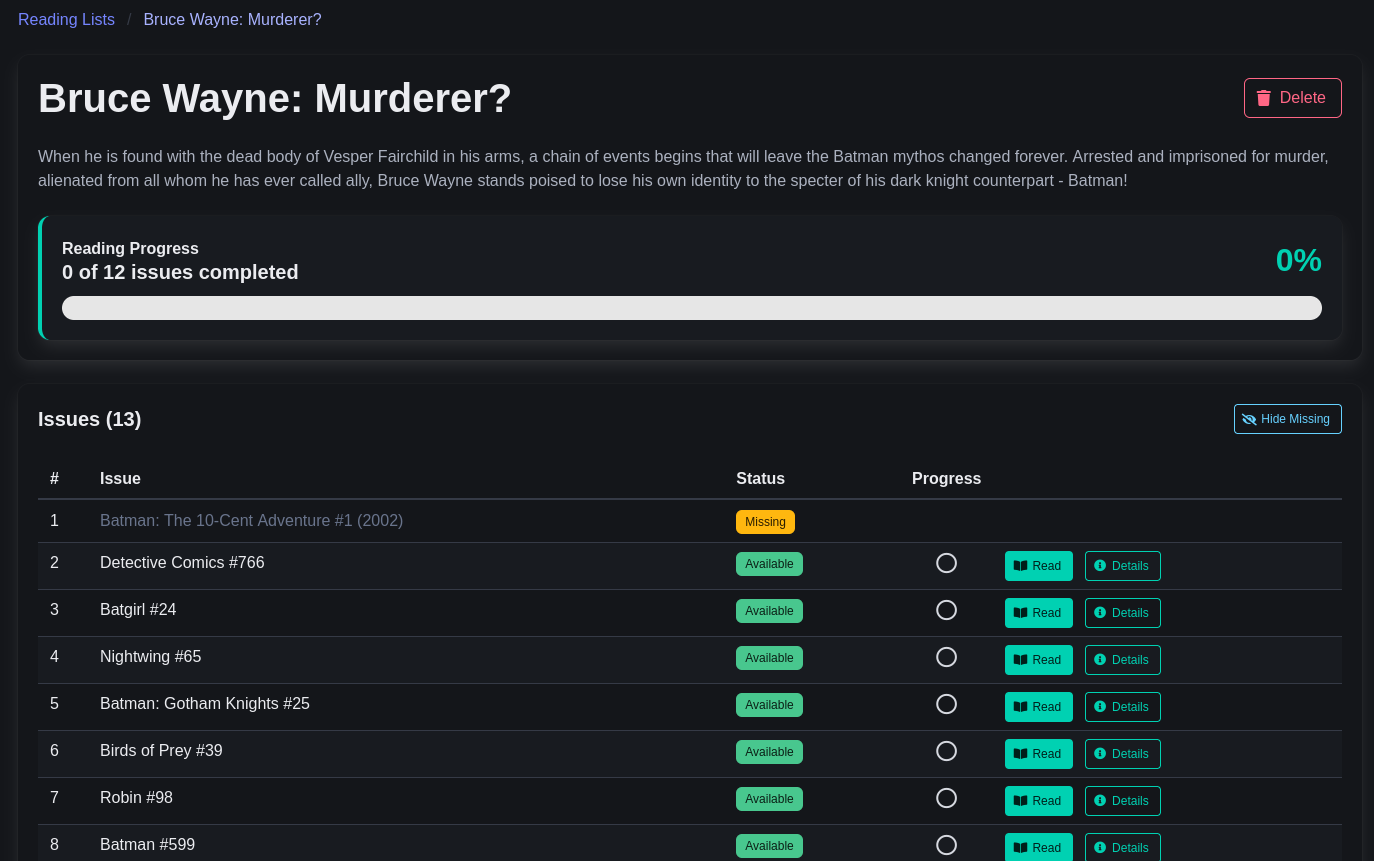
You can import reading lists from Metron using the API. The feature automatically tracks which issues are in your library and shows you which ones you're missing.
OPDS 1.2 Catalog Support
You can access your comic library from mobile devices and e-readers using OPDS-compatible apps like Chunky Comic Reader (iOS), Panels (iOS), or Challenger Comics Viewer (Android).
I tried testing it with the Challenger app, but their OPDS support doesn't seem to work and is still marked as Beta. If anyone wants to test with Chunky or Panels, I'd appreciate hearing how it goes.
Auto-Import Functionality
There's an import management command that you can run manually or set up to watch a directory for new comics.
I haven't optimized it much yet - the most expensive part is cover extraction, which I'll probably move to a background task at some point. I deployed it on a spare GMKtec NucBox G3 I had, and it took about 3 hours to import around 65,000 comics. Once I move cover extraction to a background task, I should be able to get that down to 1-2 hours.
Technical Foundation
Desaad is built on Django 6.0 with SQLite for simplicity (though I'll probably switch to PostgreSQL at some point since SQLite has some performance limitations and missing features). The frontend uses the Bulma CSS framework with HTMX, and comic processing is handled by the Darkseid library. It's container-ready with Podman support and systemd integration.
It requires Python 3.13+ and uses the uv package manager for dependency management.
Important Considerations
A few things to keep in mind about Desaad:
-
Single Metadata Source: It assumes all your comics use metadata from a single source (Metron, Comic Vine, etc.). Mixed metadata sources aren't supported.
-
MetronInfo.xml Format: Only supports the MetronInfo.xml metadata specification. Your comics need metadata written by software that implements this spec.
-
Under Active Development: The project is still under construction and not ready for production use. Features and APIs will change.
Who Should Use Desaad?
Desaad might be a good fit if you're a developer or tester who prefers browser-based reading and wants to see possible new features like scrobbling. It works best if your collection uses metadata from a single source (Metron, Comic Vine, or Grand Comics Database). If your collection has mixed metadata from multiple sources, Desaad probably isn't the right tool for you.
Getting Started
Setting up Desaad is pretty straightforward:
# Clone the repository
git clone https://codeberg.org/bpepple/desaad.git
cd desaad

# Configure environment
cp .env.example .env
# Edit .env with your settings

# Install dependencies and setup
uv sync
uv run python manage.py migrate
uv run python manage.py createsuperuser
uv run python manage.py collectstatic

# Run the development server
uv run python manage.py runserver
For production deployments, there are Podman compose configurations with systemd service integration.
Container Deployment
If you're using Fedora Linux, the included Podman configuration should make deployment simple. It should work on other systems running Podman too, but I haven't tested that yet. To get started:
# Build and start
podman-compose up -d

# Create admin user
podman-compose exec web python manage.py createsuperuser

# Import comics
podman-compose exec web python manage.py import_comics
The application will be available at http://localhost:9000.
There's more information in the project's README.md, including how to create systemd service files.
OpenCollective
A huge thank you to everyone who has contributed to our Open Collective! Your support makes a real difference in keeping the Metron Project running and growing.
What Your Contributions Support
Funds from Open Collective go directly toward:
- Server hosting costs - Keeping the Metron website and API available
- Domain registration - Annual domain name renewals
- Future capacity increases - Scaling resources as the database and user base grows
All expenses are transparent and publicly viewable on our Open Collective page, so you can see exactly where every dollar goes.
Support the Project
If you'd like to help keep the lights on and support continued development, contributions of any size are appreciated and help ensure Metron remains a free resource for the comic book community.
Anyway, that's everything for this month! Take care.